Beginner CNC Machines: What to Know Before You Buy
Computer Numerical Control (CNC) technology has moved far beyond industrial machine shops. Modern entry-level machines allow woodworkers, hobbyists, and small businesses to carve, mill, and engrave intricate designs directly from a digital file.
Choosing the best CNC machine for beginners involves matching machine capabilities, software requirements, and workspace constraints to your intended projects.
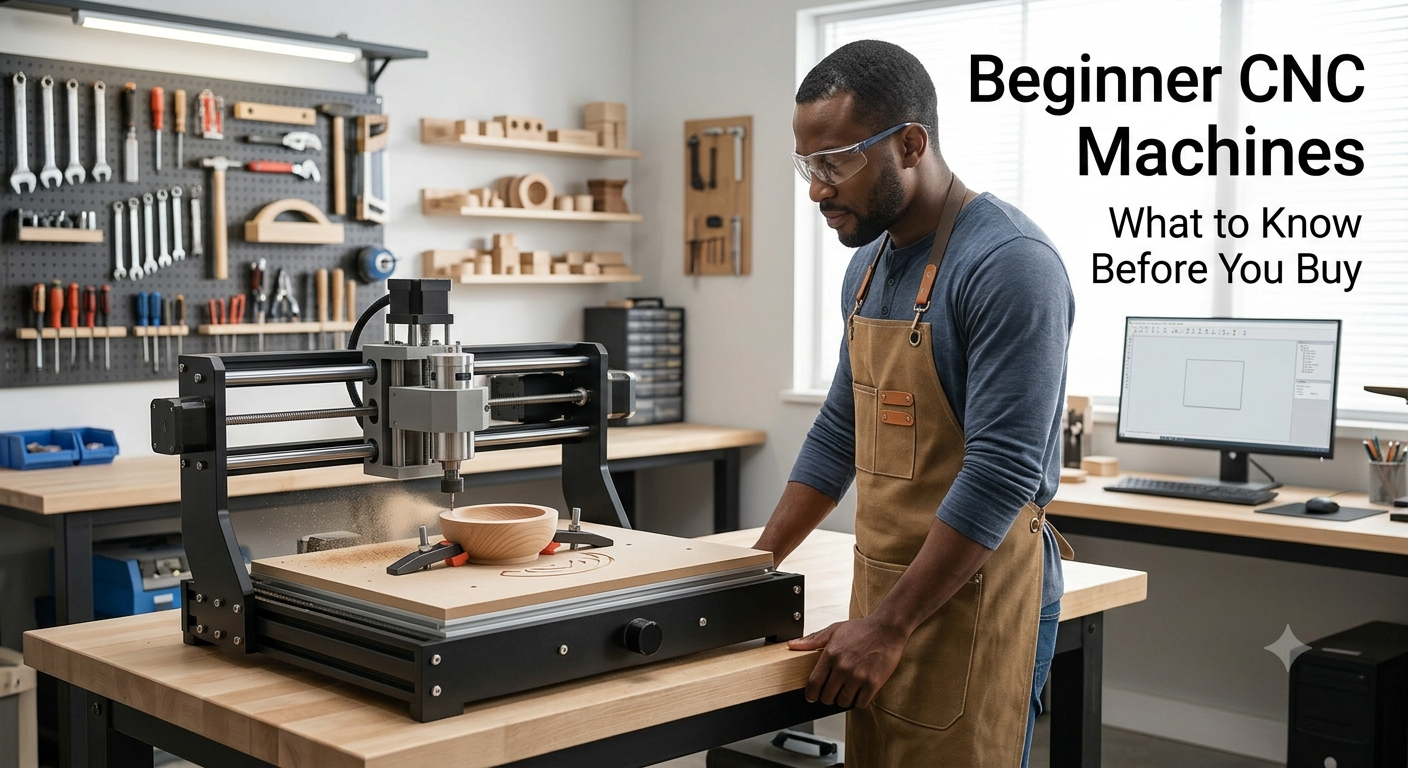
What Is a CNC Machine and How Does It Work?
A CNC machine is an automated cutting tool guided by computer commands. Instead of manually pushing a router or chisel, a digital file directs the tool motor along precise paths (typically $X$, $Y$, and $Z$ axes) to subtract material from a stock piece.
The basic workflow follows three steps:
-
Design (CAD): Create a 2D vector or 3D model using Computer-Aided Design (CAD) software.
-
Toolpath Generation (CAM): Computer-Aided Manufacturing (CAM) software translates the design into G-code (the language the machine understands).
-
Execution (Control): Sender software passes G-code to the machine, which drives step motors to carve the material.
Main Types of CNC Machines for Beginners
1. Desktop CNC Routers
-
General Purpose: Woodworking, sign-making, decorative carving, and soft plastics.
-
Typical Materials: Softwoods, hardwoods, MDF, plywood, acrylic, and foam.
-
Learning Difficulty: Beginner-friendly.
-
Workspace Considerations: Medium footprint; requires dust collection and ear protection.
-
Advantages: Versatile, wide range of working areas, highly supported by online communities.
-
Limitations: Flexes under heavy loads; generally unsuited for hard metals.
2. Compact CNC Mills
-
General Purpose: Precision milling of small metal parts, prototyping, and jewelry components.
-
Typical Materials: Aluminum, brass, copper, plastics, and engineering waxes.
-
Learning Difficulty: Moderate; requires precise feeds and speeds.
-
Workspace Considerations: Small, enclosed benchtop footprint; requires cutting fluid management.
-
Advantages: Superior rigidity and high precision on metal stock.
-
Limitations: Small work volume and slower material removal rates on wood.
3. CNC Engravers & PCB Carvers
-
General Purpose: Surface marking, fine detailing, and trace-cutting printed circuit boards (PCBs).
-
Typical Materials: Acrylic, brass/copper tags, soft woods, and PCB blanks.
-
Learning Difficulty: Low to Moderate.
-
Workspace Considerations: Very small footprint; low noise compared to routers.
-
Advantages: Compact, lightweight, and economical upfront costs.
-
Limitations: Extremely shallow cutting depth; low-wattage spindles limit material options.
4. Laser-Based Machines (Distinction)
-
General Purpose: 2D surface engraving, thin material cutting, and leather marking.
-
Typical Materials: Wood veneer, acrylic, paper, leather, and coated metals.
-
Learning Difficulty: Very low.
-
Workspace Considerations: Requires dedicated exhaust venting for smoke and fumes.
-
Advantages: No physical contact with material; minimal workholding needed.
-
Limitations: Laser cutters burn material rather than mechanically milling it. They cannot create 3D pocket depths or carve varying dimensional profiles like conventional rotating bits.
Desktop CNC vs. Larger CNC Machines
Desktop CNC machines fit on a workbench and usually offer work envelopes from 12×12 inches up to 24×24 inches. They are designed for accessibility, running on standard 110V household outlets.
Larger, freestanding units (such as 4×4 ft or 4×8 ft gantry systems) offer full-sheet processing capabilities and rigid frame designs, but require dedicated shop space, dust extraction systems, and higher electrical capacity.
What Can Beginners Make?
With a CNC machine for beginners, popular projects include:
-
Customized wooden signs and home decor
-
Catch-all trays, cutting boards, and coasters
-
Topographical maps and 3D relief carvings
-
Enclosures, custom brackets, and acrylic light displays
-
Prototyping mechanical components in plastics or soft aluminum
Materials Beginners Can Work With
Not every machine can cut every material safely:
[Softwoods / MDF]  ---> Easiest (Forgiving, minimal bit wear)
[Hardwoods / Acrylic] ---> Moderate (Requires controlled spindle speeds & feeds)
[Aluminum / Brass]   ---> Advanced (Requires rigid frame, proper tooling, & lubrication)
Machining hazardous materials (such as carbon fiber, fiberglass, or materials containing asbestos) creates toxic dust or explosive particulates and should never be attempted without specialized safety enclosures, industrial filtration, and manufacturer approval.
Comparing Beginner CNC Options
|
Machine Type |
Beginner Friendly |
Typical Uses |
Supported Materials |
Main Consideration |
|---|---|---|---|---|
|
Desktop CNC Router |
High |
Signs, carved trays, joinery, craft items |
Wood, MDF, acrylic, plastics |
Gantry flex on budget models |
|
Benchtop CNC Mill |
Moderate |
Small metal parts, prototypes, hardware |
Aluminum, brass, plastics, wax |
Limited $X/Y$ cutting envelope |
|
CNC Engraver |
High |
Custom tags, PCB trace milling, shallow text |
Soft plastics, copper boards, wood |
Weak spindle; low cutting depth |
|
Laser Cutter/Engraver |
High |
Flat cuts, leather marking, line art |
Wood veneer, acrylic, leather |
Burns material; requires smoke exhaust |
Important Features to Compare
When evaluating affordable CNC machines, focus on structural components rather than purely advertised speeds:
-
Frame Rigidity: Aluminum extrusions, cast iron, or heavy steel plates prevent frame flex. Flex leads to bit chatter, broken tools, and poor dimensioning.
-
Spindle Power: Higher-wattage spindles (or router mounts using standard trim routers) allow deeper pass depths without stalling.
-
Drive Mechanism: Lead screws and ball screws provide greater accuracy and push force than belt-driven axes, though belts are cheaper and faster.
-
Workholding System: T-track slots, threaded inserts, or vacuum tables ensure the stock stays locked in place. Loose workpieces destroy bits and create safety hazards.
CNC Software and Learning Curve
Operation relies on three software components:
-
CAD (Design): Programs like Fusion 360, Tinkercad, or Vectric VCarve to generate geometry.
-
CAM (Toolpathing): Assigns cutting speeds, plunge rates, and bit geometries to the design.
-
Control (Sender): Programs like Candle, Universal Gcode Sender (UGS), or proprietary machine interfaces that stream G-code to the CNC controller.
Many easy CNC machines come bundle-integrated with combined CAD/CAM web platforms (e.g., Easel), lowering the initial learning barrier.
Workspace, Safety, and Ventilation
-
Personal Protective Equipment (PPE): Always wear safety glasses or face shields to protect against flying debris. Wear hearing protection during long cutting passes.
-
Entanglement Hazards: Never wear loose clothing, gloves, or dangling jewelry around rotating spindles; tie back long hair.
-
Noise Management: Spindles and dust collectors produce high decibels. Consider an insulated enclosure for home workshops.
-
Dust Collection: Fine wood dust and acrylic particles are health hazards. Use a dedicated shop vacuum with a cyclone separator and HEPA filtration.
-
Emergency Stop: Ensure the hardware E-stop button is immediately reachable. Never leave an active machine unattended.
Understanding CNC Machine Costs
Initial machine price tags do not represent the total investment.
Total Cost of Ownership = Machine Base Price
                          + CAD/CAM Software Subscriptions
                          + End Mills / Router Bits
                          + Workholding Clamps & Stock Materials
                          + Dust Extraction & Safety Gear (PPE)
Entry-level desktop kits start at modest prices, but setting aside funds for upgraded collets, quality carbide bits, and proper dust collection is essential.
Common Beginner Mistakes
-
Over-relying on Price: Choosing a lightweight machine to cut metal often ends in frame distortion and broken tools.
-
Incorrect Feeds and Speeds: Moving the toolhead too slowly causes rubbing, friction heat, and burned wood. Moving too fast breaks bits.
-
Poor Workholding: Relying on inadequate clamping causes the bit to catch and lift stock mid-cut.
-
Skipping “Zeroing”: Failing to set accurate $X$, $Y$, and $Z$ zero points before running G-code leads to toolhead crashes into the bed.
CNC Machine Buying Guide
Use this checklist before finalizing a purchase:
-
[ ] Project Goals: Are you making small jewelry or 24-inch wooden signs?
-
[ ] Material Needs: Does your target material require a high-power spindle or fluid cooling?
-
[ ] Work Envelope: Does the physical cutting area accommodate your material sizes?
-
[ ] Rigidity: Are axes driven by solid lead screws or light belts?
-
[ ] Software Compatibility: Does the controller accept standard open-source G-code?
-
[ ] Space & Noise: Do you have room for a dust collector and noise enclosure?
-
[ ] Support & Spares: Are replacement belts, bearings, and customer support readily available?
FAQ
What is the easiest CNC machine for a beginner?
Desktop CNC routers bundled with cloud-based CAD/CAM software (like Easel-driven machines) are generally considered the most accessible entry point.
What can you make with a beginner CNC machine?
Beginners can make custom wooden signs, decorative trays, carved boxes, acrylic displays, personalized gifts, and simple aluminum prototypes.
How much does a beginner CNC machine cost?
Entry-level desktop engravers and mini-routers start between $250 and $600. Mid-range, highly rigid hobby machines range from $1,000 to $3,000 depending on size and spindle capacity.
Are desktop CNC machines worth it?
Yes, for hobbyists and small-business makers who need precise, repeatable carves that are difficult or time-consuming to execute with hand tools.
What materials can beginners cut?
Beginners typically start with softwoods (pine, cedar), hardwoods (maple, oak), MDF, plywood, and soft plastics like acrylic or HDPE.
Do I need CAD/CAM software?
Yes. You need CAD to design your project and CAM to convert that design into G-code instructions for the machine.
What safety equipment do I need?
At minimum: safety glasses, ear protection, dust mask/respirator, and an accessible Emergency Stop button. Avoid gloves or loose clothing around rotating bits.
Conclusion
Selecting the right machine requires balancing material goals against space, budget, and software comfort. By starting with forgiving materials like wood or plastic and mastering basic workholding, feeds, and speeds, you can safely transform digital designs into precise physical projects.